
jeepay-ui npm install 报错问题
 六月· 2473 VIEWS
问题1:npm install 失败报错: errno -4048 syscall unlink
解决方案:
1.npm使用淘宝镜像地址:
文件地址:C:\Users{用户名}\AppData\Roaming
文件:npm-cache和npm文件进行删除
问题2:run `npm fund` for details
报错:
问题3:
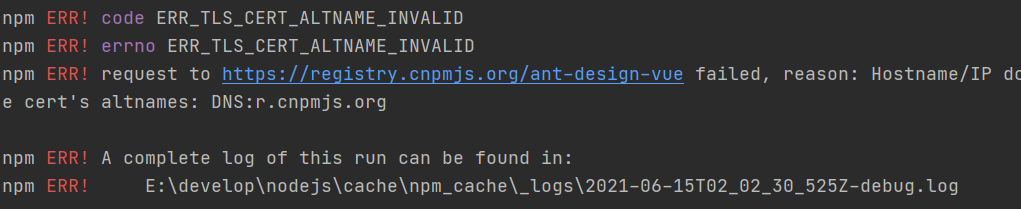
解决方案:
问题4:
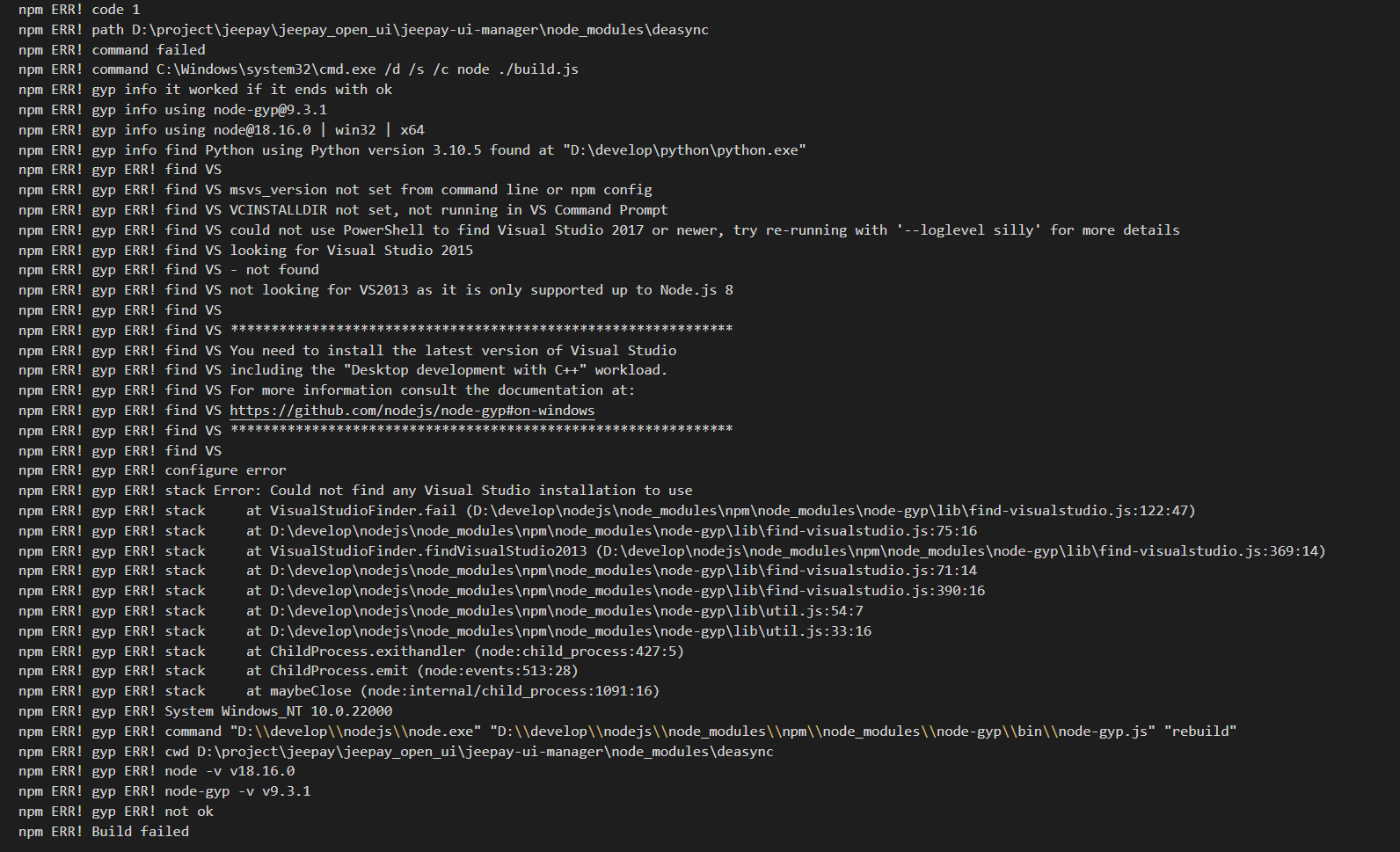
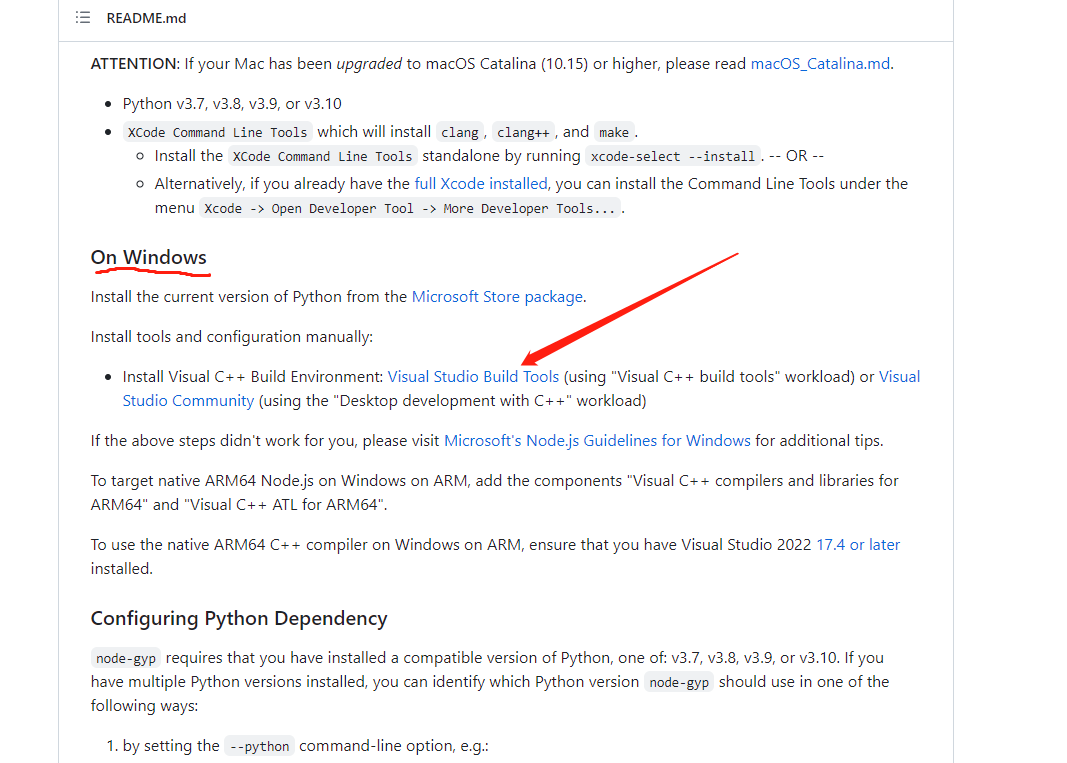
解决方案:安装新版visual studio,并引入相关的c++桌面开发
地址: https://github.com/nodejs/node-gyp#on-windows
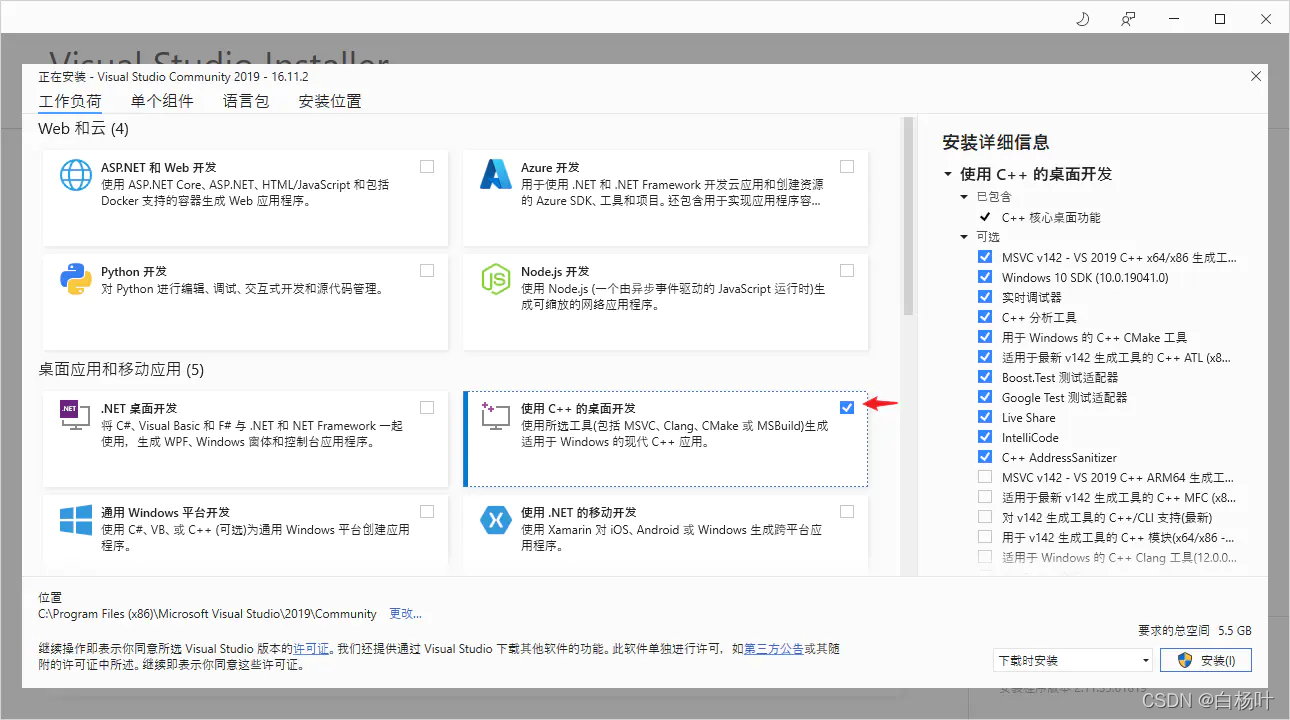
我这里一起勾选了python开发以及node.js,如果单独勾选桌面开发依旧不行的话可以尝试按我这里一起勾选,并不会覆盖你的本地已安装版本
静静等待安装,安装完成之后再重新打开目录,npm install
参考文档:https://blog.csdn.net/jyang_1524/article/details/124324089
问题5:
(问题4 也可使用此方法)
npm ERR! gyp info it worked if it ends with ok
npm ERR! gyp info using node-gyp@8.2.0
npm ERR! gyp info using node@16.13.0 | win32 | x64
npm ERR! gyp info find Python using Python version 3.10.0 found at "C:\Python310\python.exe"
解决方案:(不太推荐)忽略包校验
yarn config set ignore-engines true
再执行npm install / yarn
解决方案:
1.npm使用淘宝镜像地址:
npm install --registry=https://registry.npm.taobao.org2.删除本地npm缓存:
文件地址:C:\Users{用户名}\AppData\Roaming
文件:npm-cache和npm文件进行删除
问题2:run `npm fund` for details
报错:
found 126 vulnerabilities (4 low, 114 moderate, 8 high)解决方案:
run `npm audit fix` to fix them, or `npm audit` for details
npm fund
npm run serve
问题3:
解决方案:
1:npm config set strict-ssl false:再执行install
2:npm install -g supervisor
问题4:
解决方案:安装新版visual studio,并引入相关的c++桌面开发
地址: https://github.com/nodejs/node-gyp#on-windows
我这里一起勾选了python开发以及node.js,如果单独勾选桌面开发依旧不行的话可以尝试按我这里一起勾选,并不会覆盖你的本地已安装版本
静静等待安装,安装完成之后再重新打开目录,npm install
参考文档:https://blog.csdn.net/jyang_1524/article/details/124324089
问题5:
(问题4 也可使用此方法)
npm ERR! gyp info it worked if it ends with ok
npm ERR! gyp info using node-gyp@8.2.0
npm ERR! gyp info using node@16.13.0 | win32 | x64
npm ERR! gyp info find Python using Python version 3.10.0 found at "C:\Python310\python.exe"
解决方案:(不太推荐)忽略包校验
yarn config set ignore-engines true
再执行npm install / yarn